Mobile Reflow and Touch Target Check
Primary controls should remain readable, separated and easy to activate on a narrow touch screen.
This task records scoped evidence. It is not accessibility certification, legal advice or a universal result.
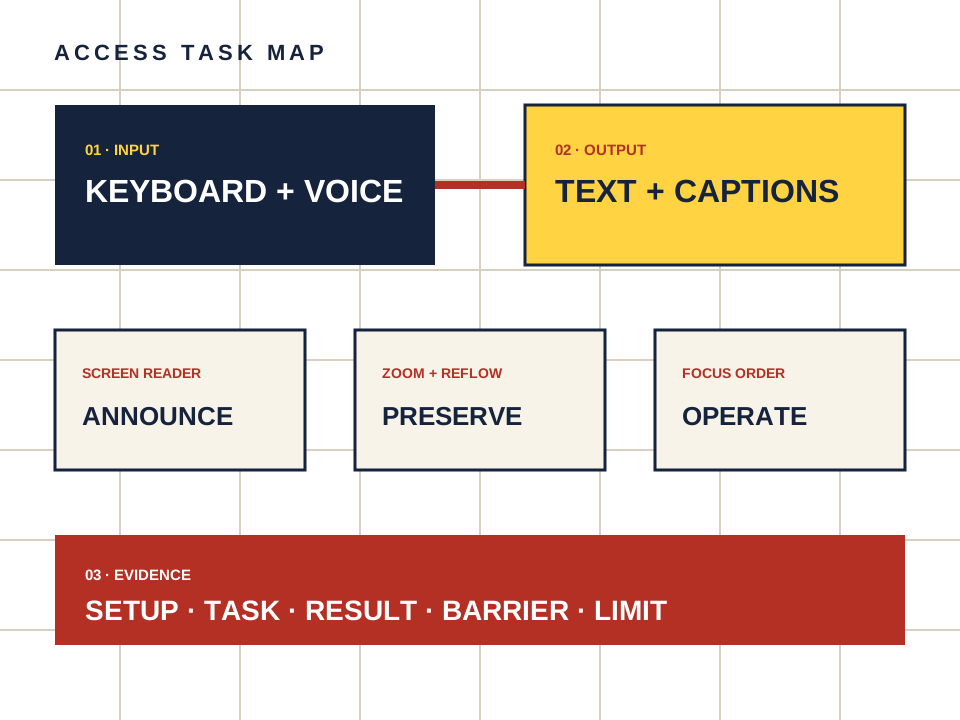
What this page owns
Check companion controls for touch target size and mobile reflow.
Begin with the named task and preserve the setup. Do not turn a product statement, automated scan or reachable page into proof that a person can complete the task.
Four steps, one documented result
- 01
Open the page at a representative mobile width.
- 02
Increase text size and check that controls remain visible.
- 03
Activate navigation, age gate and primary actions without accidental neighbors.
- 04
Rotate the device or viewport and repeat the core task.
Make the observation reproducible
- Setup
- Device, operating system, browser, input method and assistive technology.
- Task
- Starting point, action and expected outcome in plain language.
- Result
- Pass, barrier observed or not checked — never a guessed score.
- Limit
- A single phone model is only one observation. Preserve the viewport, operating system and browser in the log.
Keep the route separate from the evidence.
Candy AI is one adult companion service discussed here. The link below may earn us a commission. It does not change the method or create an accessibility endorsement.
Open Candy AI — sponsored